
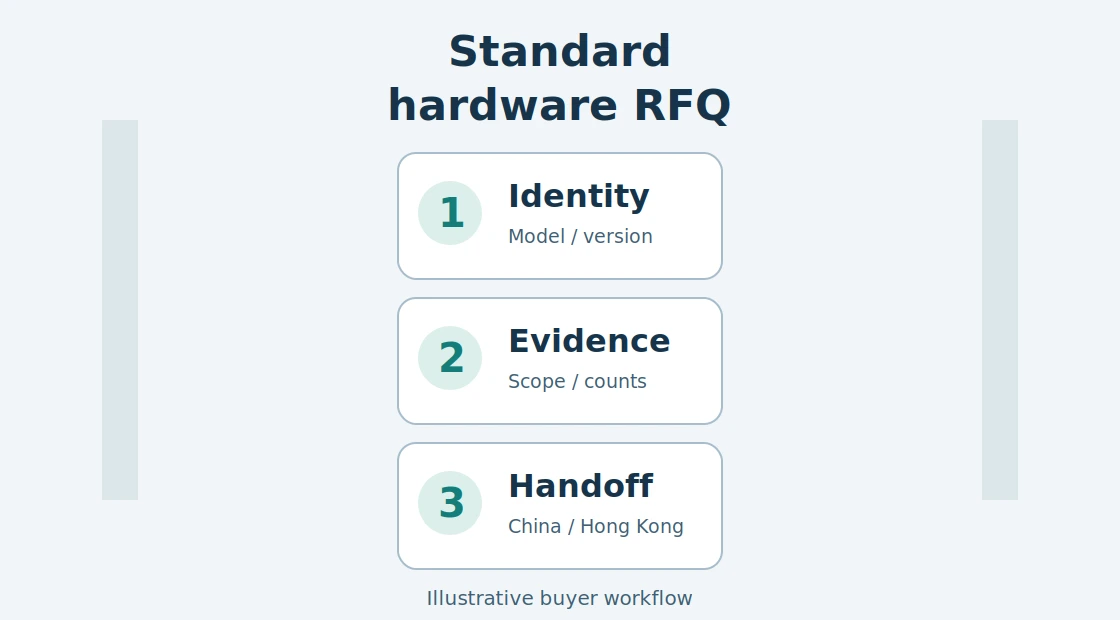
A quote for the wrong regional version cannot be compared with a quote for the version the buyer will accept. An Android hardware RFQ should let the supplier quote a catalog order without guessing what the buyer meant. Start with the product line and exact version, then add quantities, accessories, evidence and the handoff method. Software policy, app deployment, mobile-device management (MDM), data governance and destination-country compliance remain with the buyer or its appointed third party.
Key Takeaways
- Describe a standard catalog order with fields a supplier can quote and a buyer can check.
- Keep the model code, regional version, storage, color and box contents separate.
- Put buyer-owned software and MDM controls in the internal acceptance plan, not in NexusSupply’s service scope.
- Choose the QC evidence before the next agreed payment step or pickup.
- State the mainland China or Hong Kong handoff method in the first RFQ.
| Field | Source or example format | Use in the quote |
|---|---|---|
| Device and line ID | [D-01 / phone or tablet / catalog model] | Keep later evidence attached to one line |
| Model code and region | [manufacturer code / named regional version] | Distinguish variants before comparing prices |
| Configuration | [RAM / storage / colour / box contents] | Define the variant to quote |
| Quantities | [devices per line / accessory SKU totals] | Check category MOQ and mixed-order value |
| Accessory mapping | [D-01 → A-01 / quantity / packing reference] | Verify fit and reconcile separate lines |
| Evidence and handoff | [requested records / payment gate / China or HK address or pickup] | Confirm scope and responsibilities |
Build the quote line first
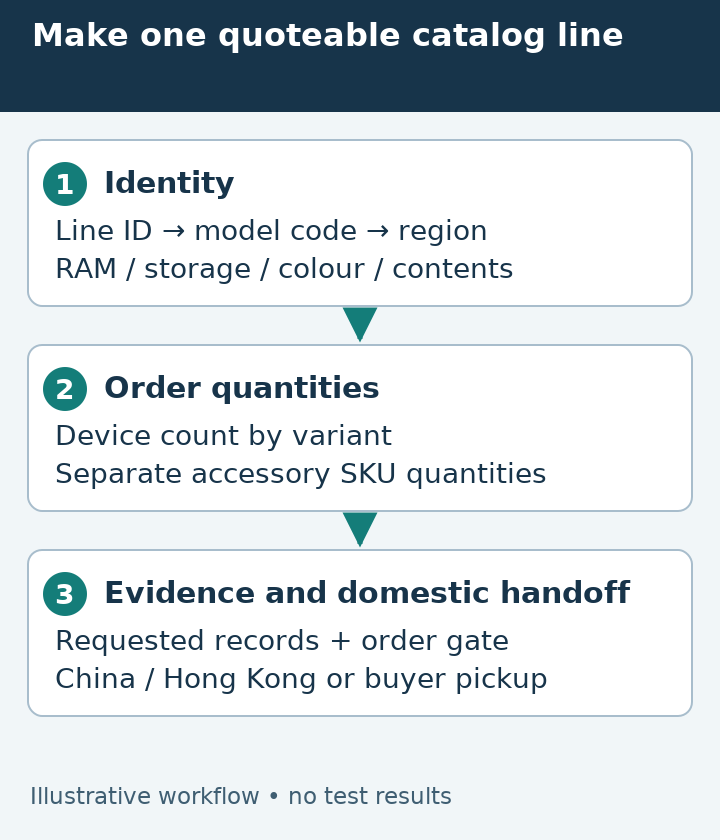
Decide whether each line covers a new Android phone or tablet. Add its quantity, target market, preferred brand or model and acceptable alternatives. Buyers can compare standard catalog Android phones and tablets before choosing a shortlist. The low-MOQ phone order route explains how the device minimum applies to a mixed order.
A use case can guide the shortlist, but it cannot replace the specification. “For field work” does not state the required screen, battery, camera, positioning, storage or accessories. Write those requirements as fields that can be compared across quotations.
Catalog brief
- Product category: phone or tablet
- Target market and required regional version
- Preferred brand, model and acceptable alternatives
- RAM, storage, color and quantity by order line
- Required charger, cable, case, screen protector, mount or dock
Takeaway: Leave one identifiable line per model and acceptable alternative.
Common mistake: A use-case label cannot replace a quoteable catalog specification.
Confirm the model before comparing prices
The same retail name can refer to different hardware or software variants. Where available, record the manufacturer model code with RAM, storage, color, SIM arrangement, required system languages, Google certification status, charger plug and box contents. “Global version” is not a complete specification.
Use the Global Version vs China Version Android guide to define the evidence needed for the exact variant. The buyer should also confirm carrier bands, local product requirements and warranty eligibility with the relevant carrier, authority or manufacturer for the destination market.
Version fields
- Manufacturer model code or other exact variant identifier
- RAM, storage and color
- China, global or named regional version
- SIM, eSIM and NFC requirements where relevant
- Required system languages and Google certification status
- Plug, charger, box contents and packaging language
Takeaway: Save the model-code and region evidence beside the quote revision.
Common mistake: “Global” alone does not identify a variant.
Map accessories and packing to the device line
Map each separately ordered accessory to its intended device line. Check plug, charger rating, cable connector, case fit and mount or dock interface against the exact model. Standard accessory categories start at 20 units per accessory SKU; these quantities are separate from the device minimum.
| Device line ID | Accessory SKU | Quantity and packing evidence |
|---|---|---|
| [D-01] | [A-01: compatible charger SKU] | [qty ≥20 for this SKU / label photo / packing-list row] |
| [D-01] | [A-02: compatible cable or case SKU] | [qty ≥20 for this SKU / fit evidence / carton ID] |
| [D-02] | [A-01, only if compatibility is confirmed] | [additional allocation / reconcile A-01 total once] |
These placeholder rows explain the mapping; they do not offer custom assembly, a bespoke kit or any unconfirmed packing service. If one accessory SKU serves two device lines, total its ordered quantity once and show the allocations separately.
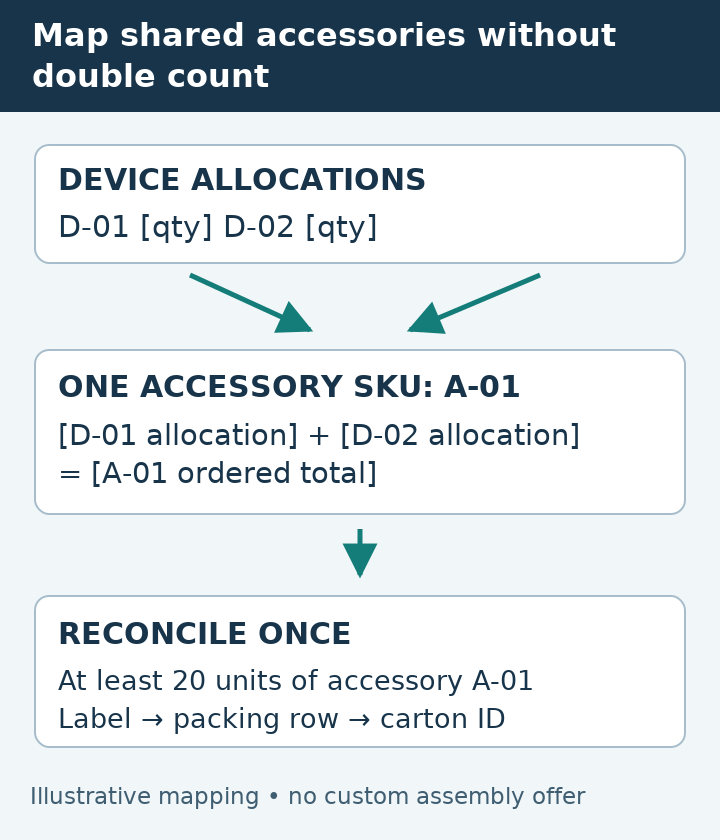
Takeaway: Keep device allocations, accessory SKU totals and packing-list references together.
Common mistake: Do not count the same accessory quantity twice across device lines.
Keep buyer systems outside the supplier promise
Apps, enrollment, remote management, content controls and data-protection rules may affect the hardware choice. NexusSupply does not currently sell custom Android, app preload, MDM, Private Label or managed-device programs.
The buyer or its software and device-management provider must define, configure and validate those controls. That team can test its apps and management profile on the exact catalog sample before approving bulk hardware. The supplier RFQ should contain only observable compatibility requirements that affect the device choice, such as minimum Android version, storage, memory, NFC, camera, GPS or accessory interfaces.
Keep passwords, enrollment tokens, patient records, student data and other live credentials out of the RFQ. Use synthetic test data and a buyer-controlled acceptance process.
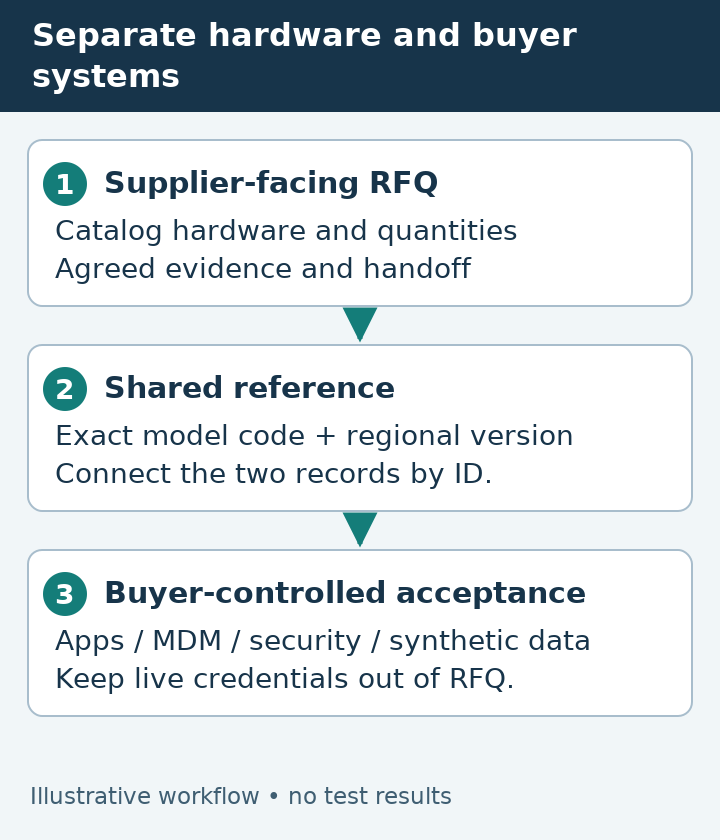
Takeaway: Retain the buyer-owned software acceptance plan separately.
Common mistake: An observable hardware requirement is not a supplier MDM commitment.
Choose evidence before payment or pickup
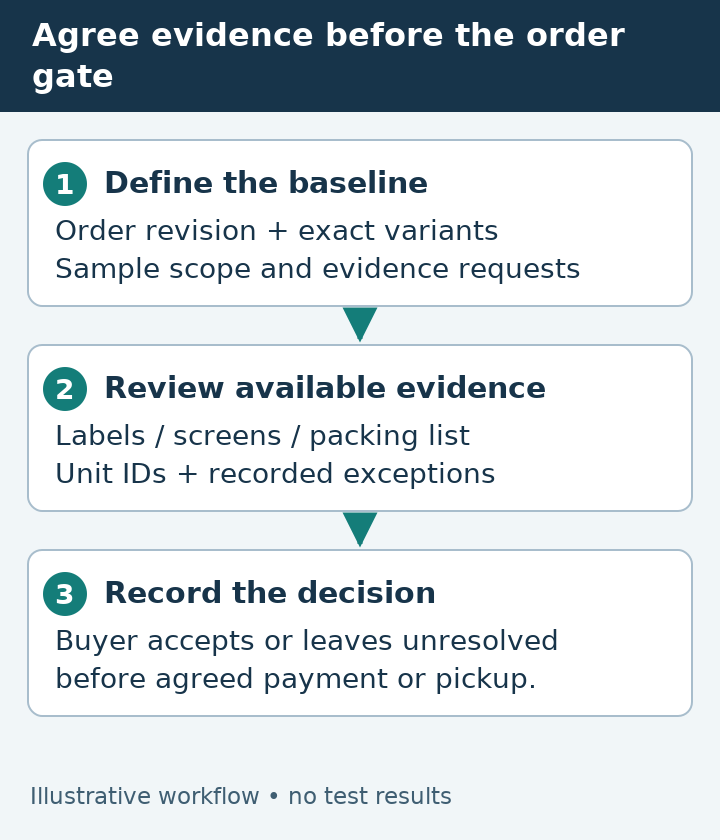
List the order-specific evidence required before the next agreed payment step or pickup. Depending on the order, this may include readable box labels, grouped quantity photographs, sampled device-information screens, agreed software-status screens, accessory labels, carton labels and packing-list reconciliation. Confirm what is available and how much of the order it will cover. Evidence is agreed for the individual RFQ rather than assumed.
The mobile phone wholesale quality control checklist matches common claims with an appropriate photo, continuous video, record or physical inspection. Put substitutions, shortages and mismatches in an exception log where they can be reviewed.
Evidence request
- Latest quotation or order revision used as the baseline
- Labels and device screens required for each SKU
- Sample scope and any active checks requested
- Accessory, retail-box and outer-carton evidence
- Packing-list reconciliation and exception log
Takeaway: Save evidence scope, sample IDs and an exception owner before the next agreed step.
Common mistake: A generic QC photograph does not close every order claim.
Put the commercial boundaries in writing
State whether NexusSupply will deliver the order to the buyer’s nominated address in mainland China or Hong Kong, or prepare it for buyer-arranged UPS/DHL pickup. NexusSupply does not provide FOB, DDP or onward export services. The buyer remains responsible for the carrier, onward transport, import process and destination-country requirements.
New Android phones and tablets start at 10 units with no per-SKU minimum. Accessories start at 20 units per SKU, multiple SKUs can be combined, and the total order value must exceed US$2,000. Payment is by T/T or L/C subject to the terms confirmed in the RFQ.
Send the qualified catalog lines, evidence requests and domestic handoff. We reply within 24 hours.
Takeaway: Keep category counts, order value, payment terms and domestic handoff in the RFQ.
Common mistake: A minimum order value does not remove quantity minimums.
Hardware checklists for specific operating contexts
The general checklist stops at quoteable hardware, evidence and handoff fields. The following guides show how different buyers can reach those fields without turning their operating plan into a supplier service request:
- Government field hardware checklist
- NGO and public-health tablet hardware checklist
- Education tablet hardware checklist
- Logistics fleet hardware checklist
Evidence and standards
Google’s Android Enterprise device setup guide describes enrollment paths that a buyer or its management provider may evaluate. The Android Enterprise Recommended requirements provide reference criteria for supported devices. Neither source establishes that a particular catalog unit meets the buyer’s software, security or country requirements. The buyer must validate the exact model and configuration.
Send the completed order table
Copy and complete the rows below; add one row per exact device variant and reference accessory lines by ID. All entries are placeholders, not sample specifications.
| Line / model code | Regional version and configuration | Quantity / accessories / handoff |
|---|---|---|
| [D-01 / catalog model / manufacturer code] | [region / RAM / storage / colour / box contents] | [device qty] / [A-01 qty; A-02 qty] / [handoff reference H-01] |
| [D-02 / catalog model / manufacturer code] | [region / RAM / storage / colour / box contents] | [device qty] / [accessory IDs and allocations] / [H-01 or separate address] |
| [H-01 / domestic handoff] | [mainland China or Hong Kong address, or buyer-arranged UPS/DHL pickup] | [buyer contact / requested date / packing-list reference] |
Send this completed order table through the RFQ form with the requested evidence and payment gate. Do not submit passwords, enrollment tokens or live personal data.
What to send us
| Item | Why we need it | Example format |
|---|---|---|
| Catalog category and model | Identify standard hardware to quote | [line ID / phone or tablet / model code / approved alternatives] |
| Version and configuration | Compare equivalent variants | [region / RAM / storage / colour / languages / box contents] |
| Device and accessory counts | Check distinct MOQ rules and the total order | [device lines] / [accessory SKU totals and allocations] |
| Compatibility and evidence | Agree hardware checks and available records | [interfaces / label and screen evidence / sample scope / exception owner] |
| Payment method and evidence gate | Record the commercial decision point | [T/T or L/C / evidence required before the agreed step] |
| Domestic handoff | Confirm the delivery or collection boundary | [mainland China or Hong Kong address, or buyer-arranged UPS/DHL pickup] |
Keep buyer system credentials and live personal data out of the RFQ.
Does a catalog hardware order include MDM or app deployment?
No. NexusSupply quotes standard catalog hardware and matching accessories. The buyer or its appointed technical provider owns apps, enrollment, MDM, security and software validation. Keep credentials out of the RFQ and use synthetic test data in the buyer’s acceptance process.
Can I mix device models if I meet the order value?
Yes, subject to current availability and the category minimums. New Android phones and tablets start at 10 devices in total with no per-SKU minimum; each accessory SKU starts at 20 units. The total order value must exceed US$2,000. Value does not replace either quantity condition; see low-MOQ ordering.
Is a regional-version label enough to approve a quote?
No. Match model code, region, RAM, storage, colour and box contents to the line. Request the agreed label and sampled-screen evidence for that exact variant. The buyer checks carrier compatibility, required languages, Google certification and destination requirements separately; a marketing label alone does not prove them.
Does the accessory MOQ apply to each SKU or the entire pack?
It applies to each accessory SKU: at least 20 units. Use the device-to-accessory map to reconcile allocations while keeping a separate total for each ordered accessory. A device’s included box contents are recorded separately from extra accessory lines.
What payment terms should the RFQ record?
Payment is by T/T or L/C, with the specific terms confirmed in the RFQ. Record the quotation revision, the agreed payment step, requested evidence and the buyer’s exception decision. Do not assume a deposit percentage, credit term or document service that has not been confirmed.
Can NexusSupply hand the order to my forwarder in China or Hong Kong?
The agreed handoff can be delivery to the buyer’s nominated mainland China or Hong Kong address, or buyer-arranged UPS/DHL pickup. Confirm address, contact and collection responsibilities in the order. NexusSupply does not provide FOB, DDP or onward export services; the buyer handles onward transport and import requirements.
Question context and review date
The questions adapt public discussions of field-tablet MDM, July 25, 2024, regional-ROM labeling, March 12, 2026, MOQ across variants, documenting a T/T order, June 23, 2026 and forwarder selection. They supply question context, not NexusSupply policies or technical proof; the MOQ thread concerns clothing. Answers use this page’s Catalog brief, Version fields and commercial boundaries, reviewed October 16, 2026.
Submit the completed hardware RFQ. We reply within 24 hours.