
For eSIM iPhone wholesale resale, select the exact regional A-number against the buyer’s required SIM format and destination carrier. Record the EID, Carrier Lock status and activation results separately: the EID identifies the embedded SIM hardware; it does not establish that the phone is unlocked or that a particular carrier will activate it.
This guide turns those checks into a regional-model comparison, a buyer-matching sequence and a downloadable batch worksheet. Use it while choosing a used-iPhone lot within your mobile phone wholesale order, before agreeing substitutions or releasing the batch. Pair these SIM checks with the wholesale phone QC evidence guide to agree the wider inspection scope.
Key Takeaways
- Match the A-number and physical SIM requirement before comparing offers.
- Keep EID, IMEI and Carrier Lock in separate fields tied to the same unit.
- Name the destination carrier and plan, including required voice, SMS and data services.
- Agree activation checks and the scope of evidence before approving the lot.
Start with the buyer’s SIM requirements
A country name and “unlocked iPhone” are insufficient buying instructions. Specify the service the customer must be able to use, then choose a compatible format.
| Selection input | What to specify | Decision it controls |
|---|---|---|
| Physical SIM requirement | Required, optional or unnecessary | Whether trayless stock is eligible |
| Destination service | Country, named carrier or MVNO, and plan | Which provider must accept the exact model |
| Customer use | Local voice/SMS/data, travel data or two lines | Which functions belong in the service check |
| Device identity | Generation, A-number, full part number and storage | Which regional variant is being quoted |
| Carrier state | Required Carrier Lock result | Whether cross-carrier use needs resolution |
| Evidence scope | Units covered, activation method, location and date | What the buyer can approve from the results |
If customers must insert an existing nano-SIM immediately, prioritize a verified tray-equipped variant. If the channel already provisions eSIM, trayless stock can be considered after the intended provider accepts that exact device and plan combination.
Compare regional SIM trays by exact model
Use the A-number as the technical lookup. Apple’s Identify your iPhone model lists the following examples for the base models; Plus, Pro and Pro Max have their own codes.
| Base model | US / Puerto Rico A-number | Other-countries/regions A-number | Mainland China / Hong Kong / Macao A-number |
|---|---|---|---|
| iPhone 14 | A2649 | A2882 | A2884 |
| iPhone 15 | A2846 | A3090 | A3092 |
| iPhone 16 | A3081 | A3287 | A3288 |
Apple describes US iPhone 14, 15 and 16 models as trayless. The listed non-US examples have a physical tray. Apple’s Using Dual SIM with two nano-SIM cards includes the mainland-China, Hong-Kong and Macao variants of these generations in its dual-physical-SIM guidance. Check eSIM eligibility separately from tray presence.
The regional split changes with generation. Apple’s iPhone 17 entry includes additional trayless markets such as Canada, Japan and the UAE; iPhone Air has no tray. “Non-US” is therefore not a reliable instruction for buying a phone with a physical SIM slot.
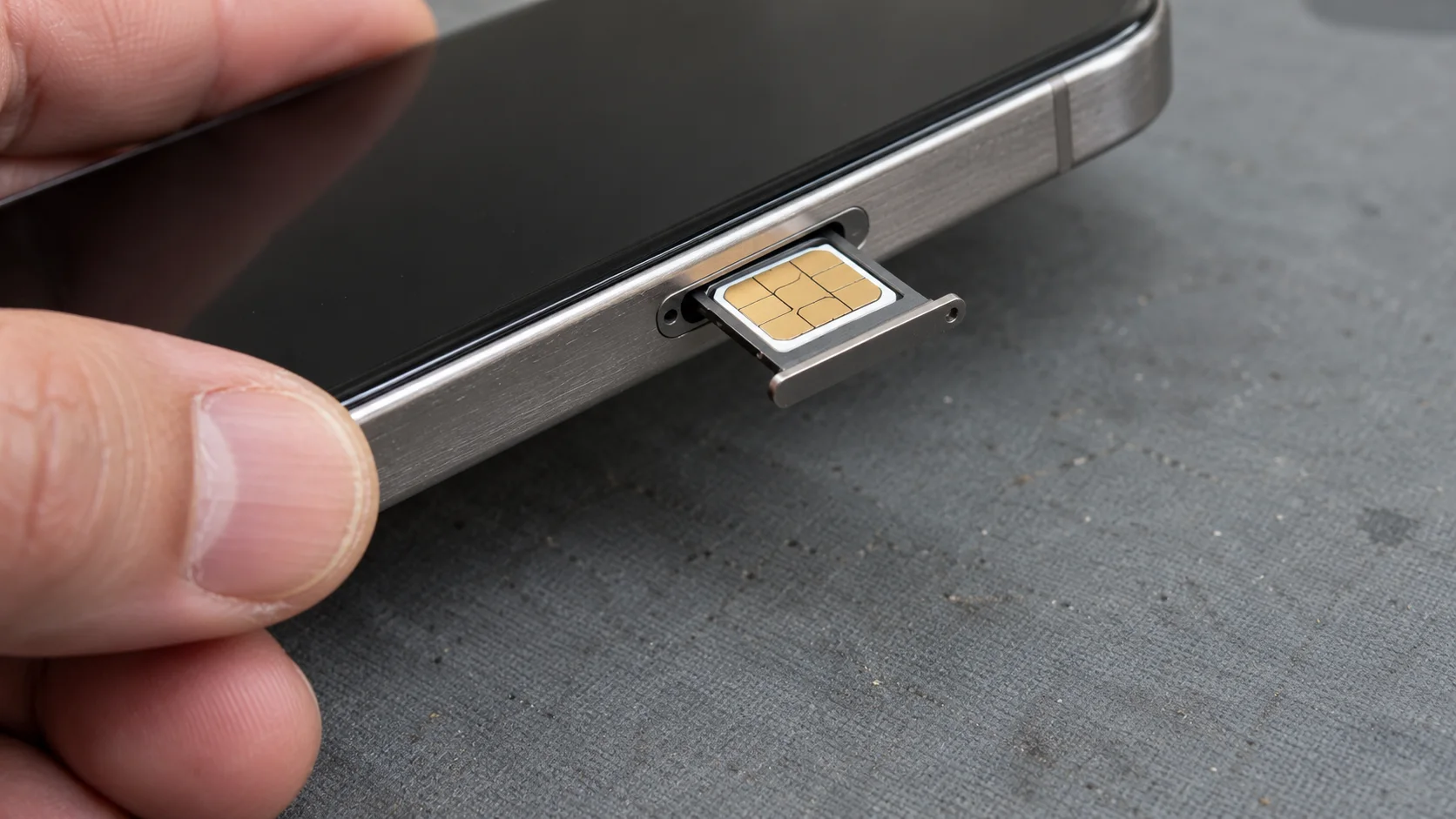
Keep the complete part number—including suffixes such as LL/A, ZP/A or CH/A—as an additional inventory field. In Settings → General → About, tap the value beside Model Number to switch from the part number to the A-number. This is the procedure in Apple’s Find the model number of your iPhone, iPad, or iPod touch. Approve the model against the A-number lookup and observed hardware, rather than a seller’s regional nickname.
Verify EID and Carrier Lock as separate checks
An EID is the 32-digit identifier of the eUICC, the embedded component used for eSIM profiles. GSMA’s SGP.29 v1.1, EID Definition and Assignment Process defines this identifier. Treat its capture as the identity step in verification; carrier eligibility and working service require their own results.
Use the following sequence for each unit within the agreed inspection scope:
- Assign a unit reference. Connect the physical phone to its lot and order line before taking evidence.
- Open Settings → General → About. Record the model name, A-number and full part number. Scroll to the identifier fields and copy the EID, as described in Apple’s Find the serial number, EID, or IMEI on your iPhone, iPad, or iPod touch.
- Keep identifiers distinct. Record EID and IMEI/IMEI2 in their own fields. Import these columns as text so spreadsheet software preserves the full identifiers.
- Read Carrier Lock separately. Apple’s How to unlock your iPhone for use with a different carrier identifies the displayed wording “No SIM restrictions” as the unlocked state. Record the exact observation. Carrier unlocking is handled by the carrier.
- Resolve inconsistent observations. If an expected EID is missing, verify the regional model and configuration before deciding whether the device needs further diagnosis.
Store complete identifiers in the private transaction record and use masked copies for broadly shared summaries. Keep setup, previous-owner Activation Lock and wider condition checks alongside this record using the used-iPhone grading and QC checklist. Carrier Lock and Activation Lock answer different acceptance questions.
Match the variant to the resale channel
Choose the SIM format around the customer’s activation route. Apple’s Set up eSIM on iPhone makes provider support part of setup; its carrier directory is a starting point for checking the named provider’s current process.
| Buyer requirement | Candidate configuration | What must be resolved before approval |
|---|---|---|
| Customers use existing physical nano-SIMs | Verified tray-equipped regional variant | Exact carrier compatibility and the required physical-SIM arrangement |
| Customers activate through an eSIM-supported local plan | Eligible eSIM variant, including trayless models | Imported-model acceptance, account/plan eligibility and activation method |
| Customers need two numbers | Supported dual-SIM configuration | Whether the requirement is two physical SIMs, physical plus eSIM, or two eSIMs |
| Customers require a mainland-China local eSIM profile | Model eligible under Apple’s mainland-China guidance | Exact regional code and carrier-store activation requirements |
For two-line use, Apple’s Using Dual SIM with an eSIM supports two eSIMs on eligible iPhone 13-and-later variants. Different carriers require an unlocked phone; otherwise both plans must use the same carrier. Write the required two-line configuration explicitly into the order.
Mainland China illustrates why local provisioning needs its own check. Apple’s Using eSIM with your iPhone in China mainland restricts local-carrier eSIM profiles to its listed regional models and requires a carrier-store visit. A foreign iPhone with an EID cannot be assumed eligible for that local profile. A foreign travel plan roaming in the country is a different service requirement.
Ask the destination provider to confirm the exact model, plan and activation process before selecting the batch. Keep the dated confirmation with the lot specification, including any IMEI or EID screening the provider requires.
Check service after profile installation
A completed profile download is one checkpoint. The acceptance record should also show network registration and the services the buyer intends to resell.
Agree the test units, location, device/iOS information and plan before starting. Follow the provider’s supported activation route—such as carrier activation or a QR-code process—and record the installation outcome. Then check network registration and the agreed voice, SMS and data functions. A data-only travel plan is unsuitable as the sole test for a local voice-and-SMS requirement.
Agree whether evidence covers selected samples or every unit. Keep results tied to the tested model, carrier, plan and units; define how exceptions affect the rest of the lot before release.
| Observation | Next action |
|---|---|
| Buyer requires a physical SIM, offered unit has no tray | Select a verified tray-equipped variant |
| EID recorded, Carrier Lock unresolved | Obtain the carrier-state evidence before cross-carrier approval |
| Unlocked phone, local provider declines the model | Select a provider-eligible variant or reconsider the buyer’s provider requirement |
| Profile installs, required service fails | Record the failed function and investigate the carrier, plan and network conditions |
| Model, tray or identifier evidence conflicts | Hold the affected units for reconciliation and record the resolution |
Keep a batch SIM and EID worksheet
Use one requirements sheet per buyer configuration and one evidence row per reviewed unit. Group mixed lots by model, region and destination service so an approved combination is not silently extended to another variant.
Download the buyer requirements sheet and unit SIM/EID evidence worksheet. Import the EID and IMEI columns as text before entering or pasting identifiers. Retain full values in the controlled working copy.
| Worksheet group | Fields to complete |
|---|---|
| Lot and buyer | Lot ID, quantity, destination, carrier/plan, required SIM format and services |
| Model and hardware | Unit reference, model, A-number, full part number, original-market statement, storage and tray observation |
| Identity and state | EID observation and value, IMEI/IMEI2, exact Carrier Lock text, evidence reference |
| Carrier and test | Confirmation date/reference, activation method, iOS, test location/date, profile installation, network and service results |
| Decision | Exception, buyer decision, approver, date and agreed next action |
For pricing and order preparation, continue through used iPhone wholesale options. Include the required SIM format and evidence scope in your RFQ, together with the model mix and quantity. NexusSupply handoff is to a buyer-nominated mainland China or Hong Kong address, or buyer-arranged UPS/DHL pickup; plan destination activation checks around that handoff.
RFQ Fields
- Model, regional A-number, storage and quantity by order line.
- Required physical-SIM/eSIM configuration and destination carrier/plan.
- Required Carrier Lock state and local voice, SMS and data functions.
- Unit evidence, activation-check scope and exception decision criteria.
- Buyer-nominated mainland China/Hong Kong handoff address or UPS/DHL pickup.
Does an EID mean the iPhone is unlocked?
No. EID identifies the embedded SIM component. Use the Carrier Lock observation for lock status, then check the intended provider’s eligibility and activation requirements separately.
Are Hong Kong and mainland-China iPhones interchangeable?
Choose by generation and A-number. Some generations share dual-nano-SIM configurations across those markets; newer model exceptions and local eSIM provisioning rules make a blanket regional label unsuitable for batch approval.
Can a sample activation approve every phone in the lot?
A sample establishes results for the units and configuration tested. Agree sampling, mixed-variant coverage and release criteria with the buyer, and keep any unresolved units identified in the batch worksheet.