
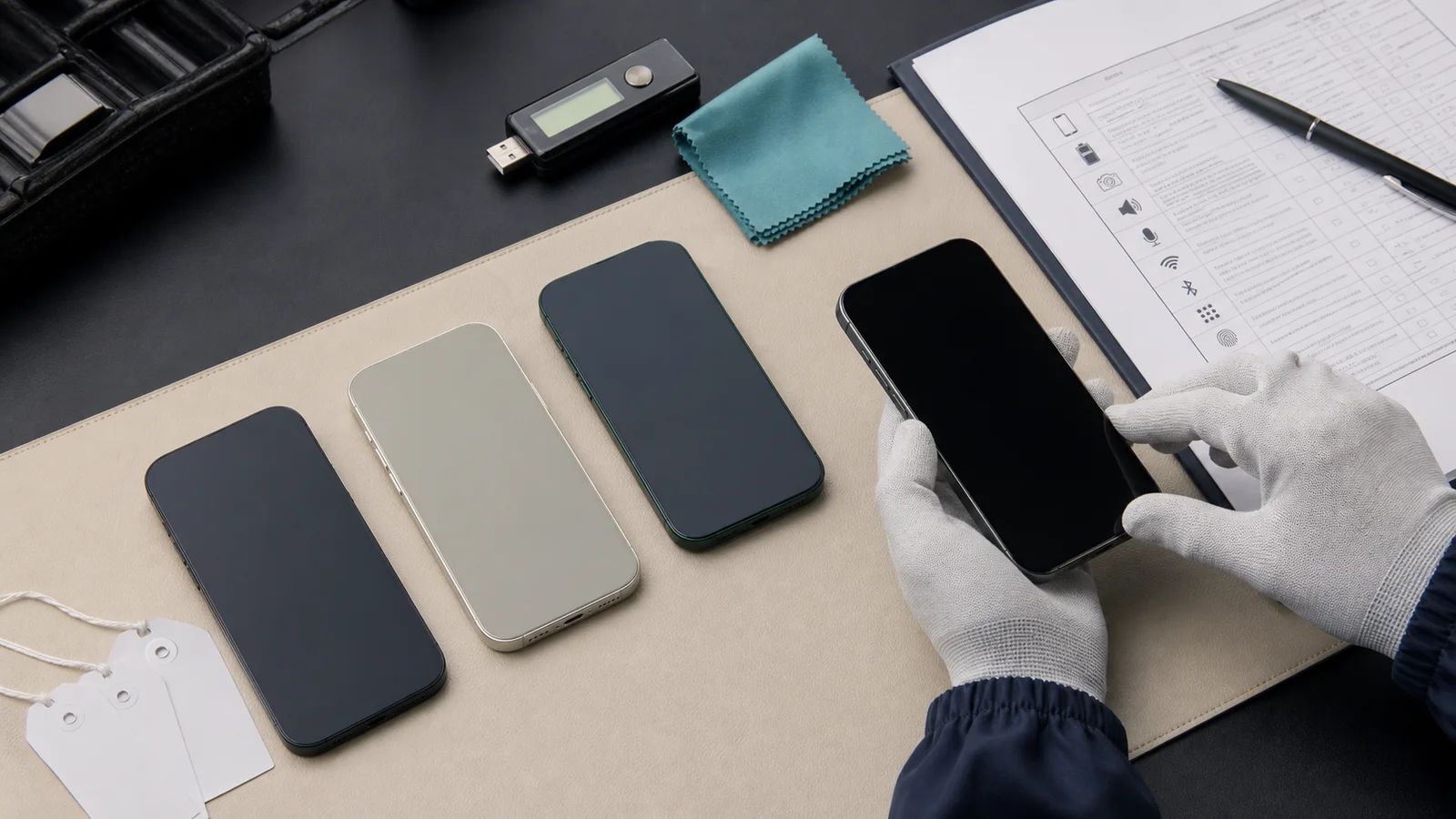
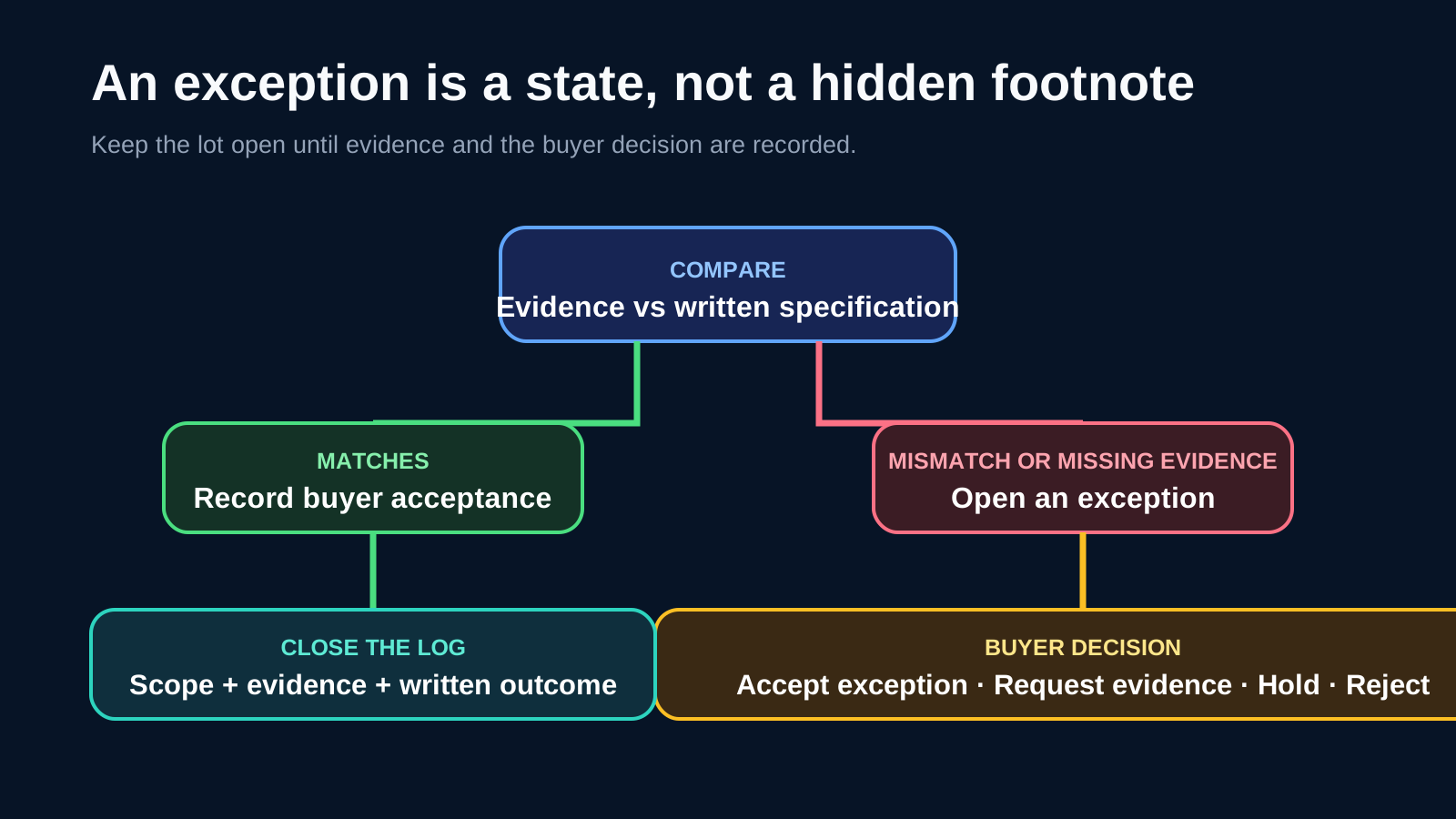
Used iPhone wholesale grades are seller-defined descriptions, not universal acceptance standards. Before ordering, translate every grade label into a written lot specification covering cosmetic limits, device identity, battery evidence, setup and lock status, parts history, functions, packaging, sampling and exception handling. Compare evidence against that specification—not against the letter on a price list.
Key Takeaways
- Treat A, B, C and similar labels as conversation starters, not complete specifications.
- Separate Apple-documented device information from buyer-defined commercial acceptance rules.
- State the exact lot, evidence method, sampling scope and exceptions in writing before approval.
- Record battery information without presenting any percentage as an Apple wholesale grade.
- Check setup for Activation Lock and unexpected Remote Management; keep conclusions within what the evidence shows.
- Log exceptions by affected unit or quantity and make the buyer’s accept, clarify or reject decision explicit.
Why a grade label is not an acceptance standard
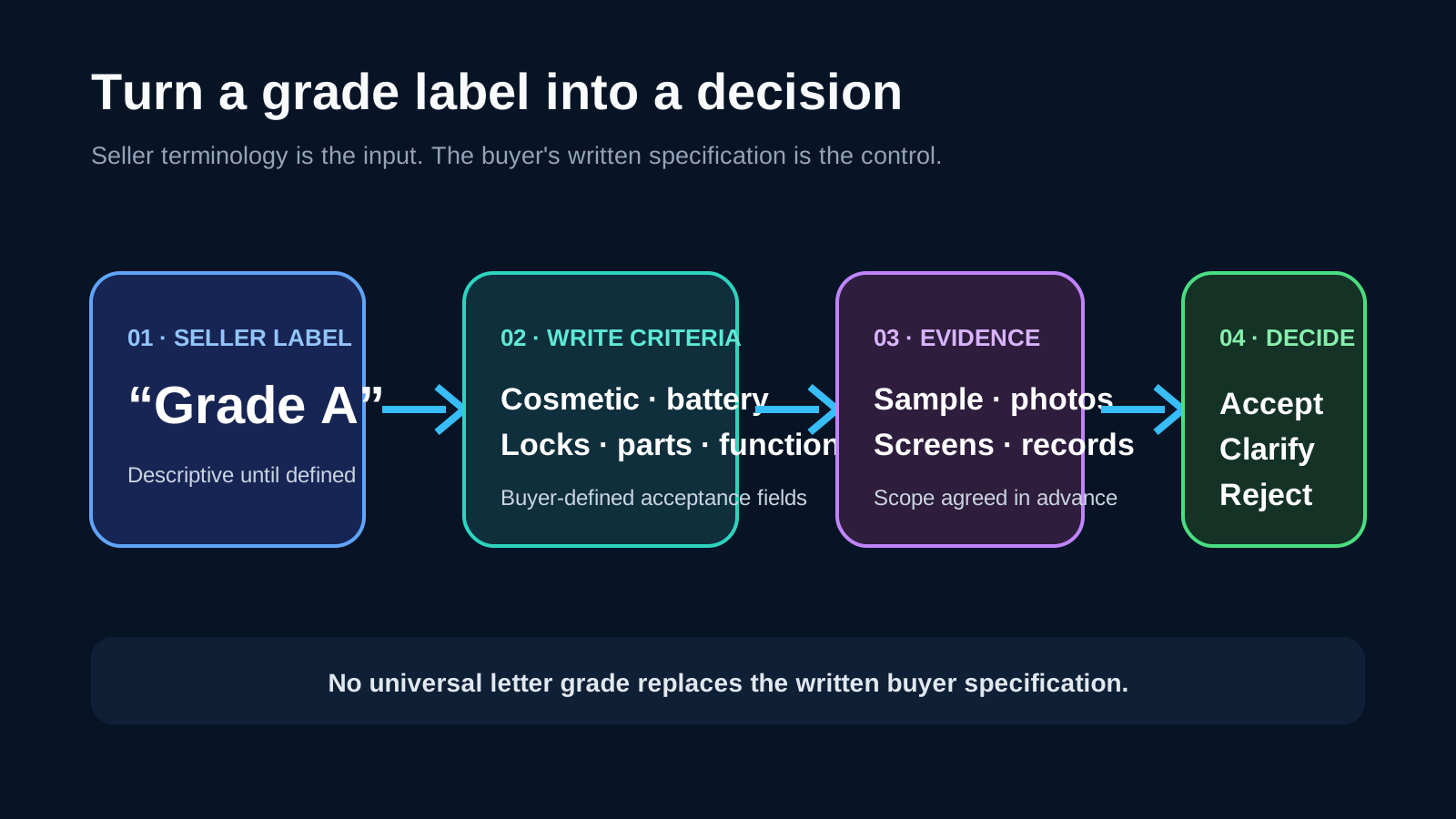
Two sellers can use the same grade name while allowing different scratches, dents, battery conditions, replacement parts or functional exceptions. The useful question is not “Is this Grade A?” It is: “What does this label allow, how will the claim be evidenced, and what happens when a unit falls outside the written rule?”
This guide is a buyer-side framework. It does not define an industry grading system or describe a guaranteed NexusSupply inspection service. For the broader distinction between photos, continuous video, records and physical inspection, use the mobile phone wholesale QC evidence checklist.
Convert the seller’s label into written RFQ fields
Do not fill this table with assumed “standard” Grade A/B/C meanings. Ask the seller to state its definition, then add the buyer’s own measurable requirements.
| RFQ field | What to write | Evidence or decision boundary |
|---|---|---|
| Seller grade label | The seller’s exact term | Descriptive only until the remaining fields are complete |
| Lot definition | Model, storage, color, quantity and SKU mix | Reconcile by order line, not by product family |
| Cosmetic limits | Permitted marks by display, frame, housing, camera area, buttons and port | Buyer-defined; use clear photos or agreed physical inspection |
| Functional scope | Functions that must operate and the required test method | Buyer-defined; a sample result applies only to the tested unit |
| Battery requirement | Information to record and any buyer-set acceptance threshold | Apple does not publish wholesale grading thresholds |
| Lock and setup state | Activation Lock, carrier lock and unexpected management observations | Record the visible state; do not infer more than it proves |
| Parts history | Parts and Service History information where supported | Evidence, not a warranty or full condition assessment |
| Packaging and accessories | Included items, origin claims and condition | Keep separate from the device grade |
| Exceptions | Allowed variance, reporting method and buyer decision path | No silent substitution or verbal-only waiver |
Use the completed fields to compare like-for-like offers. The wholesale phone quote comparison guide explains how to keep model, inclusion and handoff assumptions aligned across quotations.
Build the lot and evidence plan first
1. Fix the lot definition
Record the model, storage, color and quantity for every order line. If the lot mixes SKUs, specify the allowed mix and whether a substitution needs written approval. “Mixed stock” is not a usable acceptance baseline. For the separate destination review, use the used-phone import document and responsibility record to hand the final lot description to the buyer’s local broker.
2. Agree the sampling and evidence scope
State whether the evidence covers every unit or an agreed sample, how units are selected, when the evidence is captured, and which photos, videos, screenshots or records are required. There is no universal sampling percentage for used-iPhone wholesale orders. The buyer should choose a scope that matches order value, SKU variety, risk and the consequence of an exception.
3. Keep an identity chain
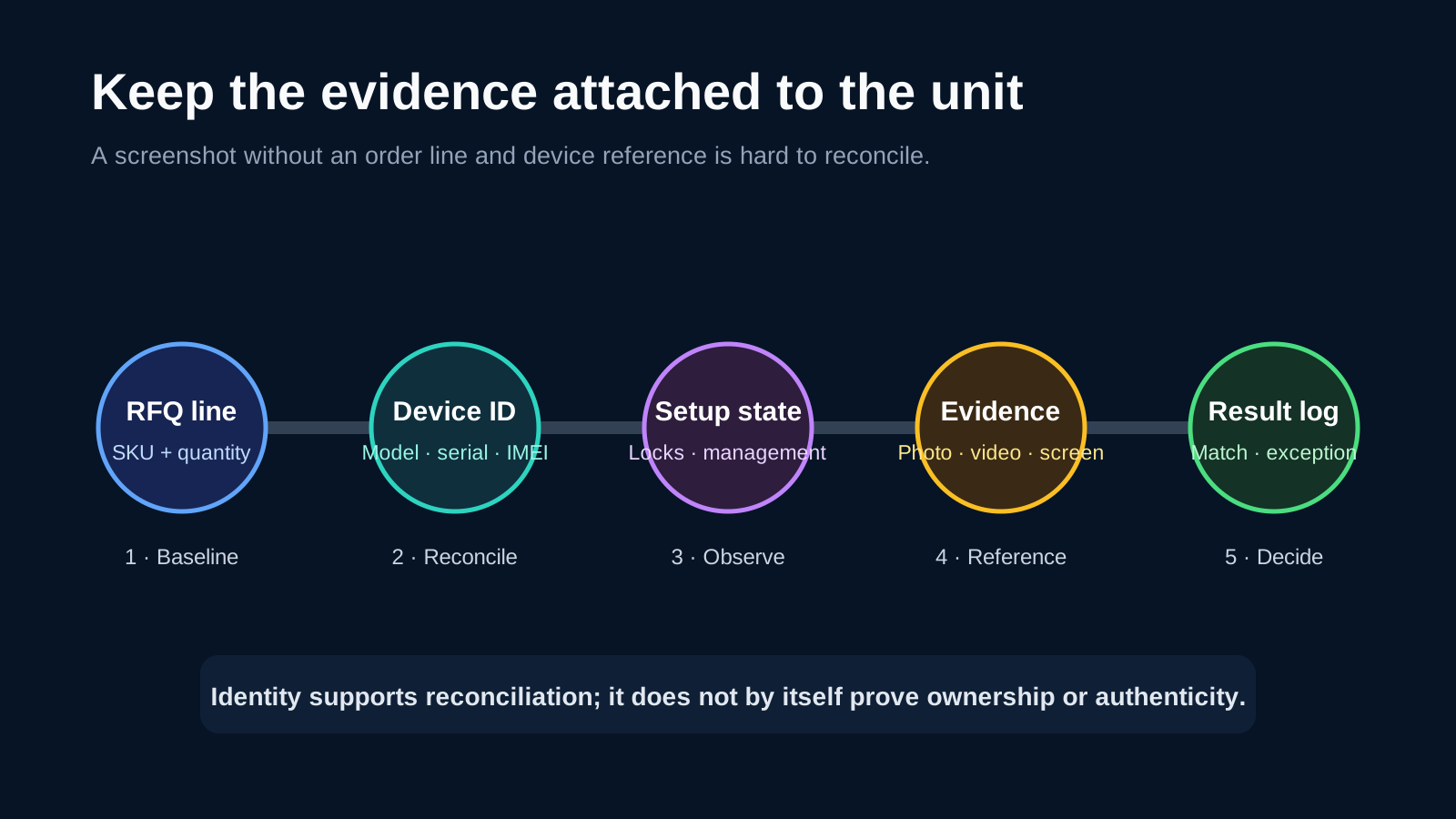
For each reviewed unit, connect the order line to the physical device and its result log. Apple’s iPhone User Guide shows where a user can view information including the model name, capacity, serial number and IMEI in Settings → General → About. See Get information about your iPhone.
Record identifiers carefully, but keep the conclusion narrow: an IMEI or serial number identifies a device for reconciliation. Its presence alone does not prove ownership, authenticity, clean network status or commercial entitlement. For a mixed phone receipt, the IMEI inventory reconciliation worksheet compares the identifier list with order lines and cartons. Condition grading stays on this page.
Inspect condition and device state in separate lanes
4. Define cosmetic condition
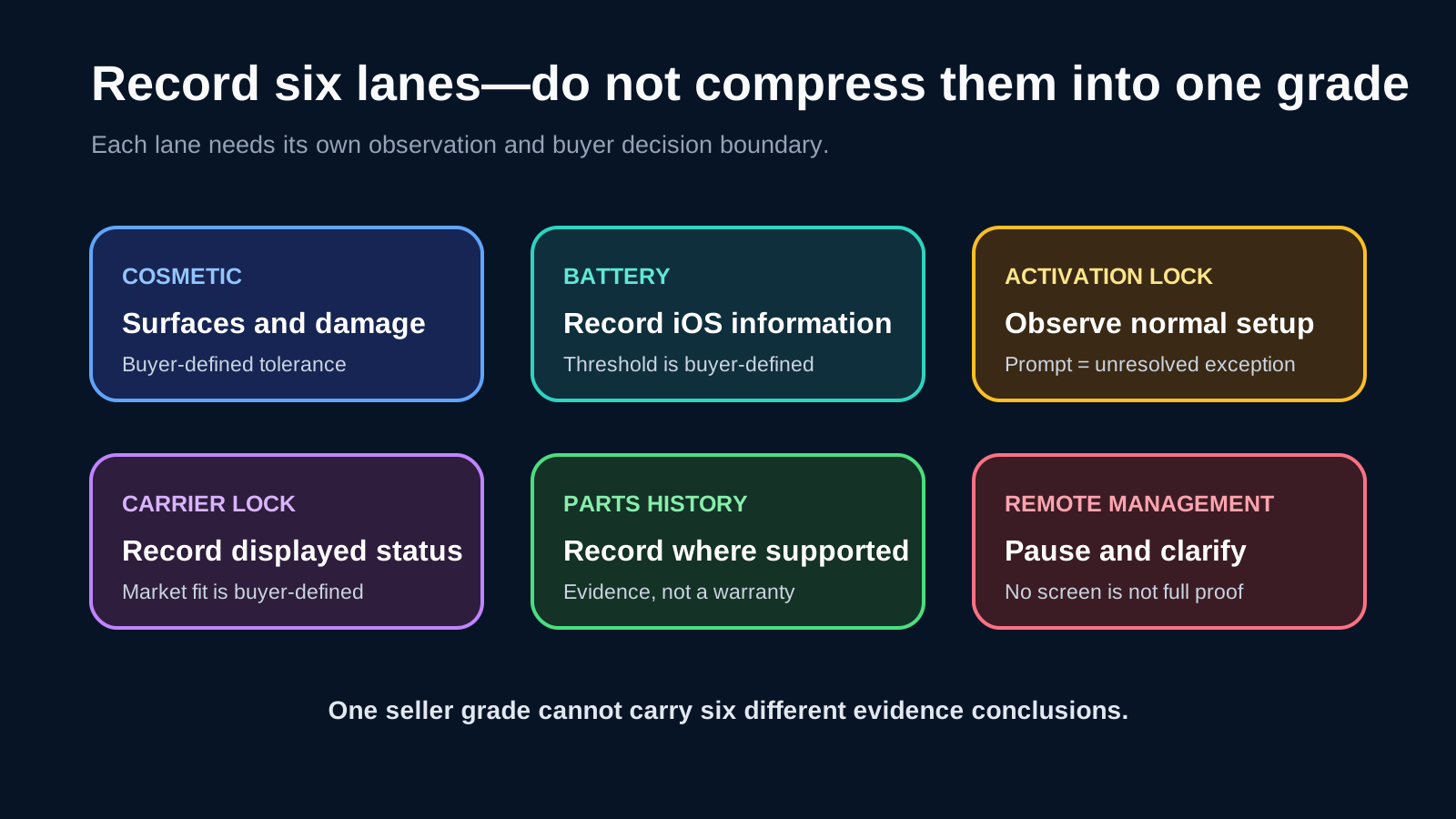
List the surfaces to review: display glass, frame, rear housing, camera glass, buttons, charging port and speaker openings. Replace phrases such as “minor wear” with the buyer’s own tolerances. For example, specify where marks may appear and which types of crack, chip, dent or deformation are not acceptable. These are commercial rules, not Apple grades.
Apple’s guide to buying a pre-owned iPhone recommends checking for physical damage and examining the display, buttons, cameras, speakers and microphone. That guidance identifies useful areas to inspect; it does not define a wholesale cosmetic grade or a batch test method.
5. Record battery information as reported
Where the model and iOS version expose Battery Health information, record what is displayed and tie it to the reviewed unit. Apple’s iPhone battery and performance guidance explains maximum capacity as a measure relative to when the battery was new and discusses how batteries chemically age.
Any minimum capacity, service message rule or replacement policy in a wholesale RFQ is a buyer-defined commercial criterion. Do not turn Apple’s battery design information into a universal Grade A/B/C threshold.
6. Verify normal setup and Activation Lock status
Apple states that Activation Lock turns on automatically with Find My and that a buyer should not take ownership of a used iPhone protected by the previous owner’s account. Review Apple’s Activation Lock guidance and pre-owned buying guide.
For the agreed sample, record whether the device is erased, reaches normal setup, activates as expected, or asks for the previous owner’s Apple Account. An Activation Lock prompt is an unresolved exception requiring seller action or clarification. A listing word such as “clean” is not a substitute for the observed setup state.
When a mixed trade-in lot also includes used Android handsets, follow the Android FRP lock verification and RMA rejection playbook to screen for Google account locks, enterprise enrollment and supplier quarantine windows.
7. Record carrier lock status
Apple’s carrier-lock instructions direct users to Settings → General → About and say “No SIM restrictions” appears next to Carrier Lock when the iPhone is unlocked. The buyer must still decide which carrier states are acceptable for the intended resale market. Record the displayed status; do not present it as proof of ownership, network history or destination compatibility.
For regional SIM format and destination-carrier selection, use the eSIM iPhone EID and SIM-tray guide before approving a model substitution.
8. Record Parts and Service History where available
On supported models and iOS versions, Apple says Settings → General → About can show Parts and Service History. Depending on the device and software, a part may be described with labels such as Genuine, Used, Unknown or Unable to Verify. Review Apple’s current Parts and Service History guidance for model-specific coverage.
Record the information exactly as shown. Do not treat one label—or the absence of the section—as a warranty, a complete repair record or a verdict on the entire lot.
9. Treat unexpected Remote Management as an exception
Apple documents that organization-owned devices can automatically enroll in management during activation through Apple Business Manager workflows. If setup presents an unexpected Remote Management or enrollment step, pause the unit’s acceptance and request clarification. See Apple’s device workflow documentation.
The evidence boundary matters: an unexpected management screen is a reason to investigate. The absence of one particular screen alone does not prove release from Apple Business Manager or every possible management relationship.
For step-by-step supervision profile checks and quarantine rules on managed lots, use the MDM lock detection and quarantine checklist.
Complete functional, packaging and exception checks
10. Define the functional test list
Choose functions that matter to the intended resale channel. The list may include display response, cameras, flash, speakers, microphones, charging, wireless charging where applicable, Wi-Fi, Bluetooth, cellular connection, Face ID or Touch ID, buttons, vibration, sensors and ports.
Write the method and result format. “Tested” is too broad. A passed camera check on one sampled phone supports only that check on that unit; it does not establish full functionality or conformity of untested devices.
11. Keep packaging and accessories separate
State whether retail packaging, cable, charger, documents or other items are included, whether an item is claimed to be original, and what visible condition is acceptable. A complete-looking box should not raise the device grade automatically, and no accessory should be assumed from a stock photo.
12. Make an exception decision
Use one log for every difference between the written baseline and the evidence.
| Issue | Affected unit or quantity | Evidence reference | Buyer decision | Agreed action |
|---|---|---|---|---|
| Describe the exception | Record the exact scope | Link the photo, video, screen or record | Accept, clarify or reject under buyer policy | Record the written resolution |
Do not let a complete-looking folder hide an unresolved material exception. If evidence is missing or inconsistent, keep the status open until the commercial parties resolve it in writing.
RFQ Fields
Include these fields in a used-iPhone RFQ:
- Model, storage, color, quantity and mixed-SKU composition.
- Seller grade term plus the seller’s written definition.
- Buyer-defined cosmetic and functional requirements.
- Battery information to record and any buyer-defined threshold.
- Activation Lock and normal setup requirement.
- Carrier Lock status requirement.
- Parts and Service History recording where supported.
- Procedure for unexpected Remote Management.
- Packaging and accessory inclusions.
- Sampling method and evidence package.
- Exception tolerance, decision owner and resolution deadline.
- Buyer-nominated handoff address or pickup method.
For NexusSupply enquiries, used iPhones start at 10 devices, multiple device SKUs may be combined, and total order value must exceed US$2,000. Quotes are confirmed per RFQ or WhatsApp rather than from public unit prices. Handoff is limited to a buyer-nominated mainland China or Hong Kong address, or buyer-arranged UPS/DHL pickup. This does not imply FOB, DDP, customs, onward export or destination delivery.
Evidence Boundaries and Last Updated
Last editorial update: August 20, 2026.
Apple’s documentation supports the menu paths and device-state concepts cited above. Cosmetic limits, battery thresholds, functional tests, sampling, exception tolerances and lot-acceptance rules remain buyer-defined commercial criteria. Recheck the linked Apple pages before applying this guide to a later iOS release or a different iPhone model.
This article does not promise that NexusSupply performs a named test, guarantees a grade or device status, clears locks, supplies diagnostic reports, provides a warranty or accepts returns. Confirm the evidence scope and commercial terms for the specific quotation.
Are used iPhone wholesale grades standardized?
No. A, B, C and similar labels are seller terminology. Use them only after the seller defines the permitted cosmetic, functional, battery, parts and exception conditions in writing.
Is Battery Health a universal wholesale grade?
No. Apple documents battery information and aging, but it does not publish universal used-iPhone wholesale grade thresholds. Any acceptance threshold belongs in the buyer’s RFQ.
Does an IMEI prove that an iPhone is clean or authentic?
No. An IMEI is useful for device identification and reconciliation. By itself, it does not prove ownership, authenticity, blacklist status or another commercial conclusion.
Does Parts and Service History guarantee device quality?
No. Where supported, it records information that iOS presents about certain parts and service events. It is evidence to review, not a warranty or a complete condition assessment.
Does no Remote Management screen prove enterprise release?
No. Unexpected Remote Management should trigger clarification, but the absence of a particular setup screen alone does not prove removal from Apple Business Manager or every management relationship.
Turn the checklist into a quoteable specification
A written specification is more useful than a stronger-sounding grade label. Define the lot, required evidence, buyer rules and exception path before comparing price. Review the current used iPhone wholesale scope, then submit a structured used-iPhone RFQ with the acceptance fields that matter to your resale channel.
What to send us
We reply within 1 business day.
| Item | Why we need it | Example format |
|---|---|---|
| Model and storage | Identifies the lot being quoted | [model] · [storage] |
| Cosmetic grade | Records the buyer’s written appearance limit | [buyer-defined grade] |
| Battery target | Separates the battery rule from the cosmetic grade | [battery target] |
| Activation Lock and parts history | Records lock state, repair history and exceptions | [lock status] · [parts history] · [exception] |
| Functional checks | Lists the checks the buyer wants recorded | [check] · [result field] |
| Quantity and handoff | Applies the 10-unit device tier and the China or Hong Kong handoff | [quantity] · [address or buyer-arranged pickup] |
We reply within 1 business day.