
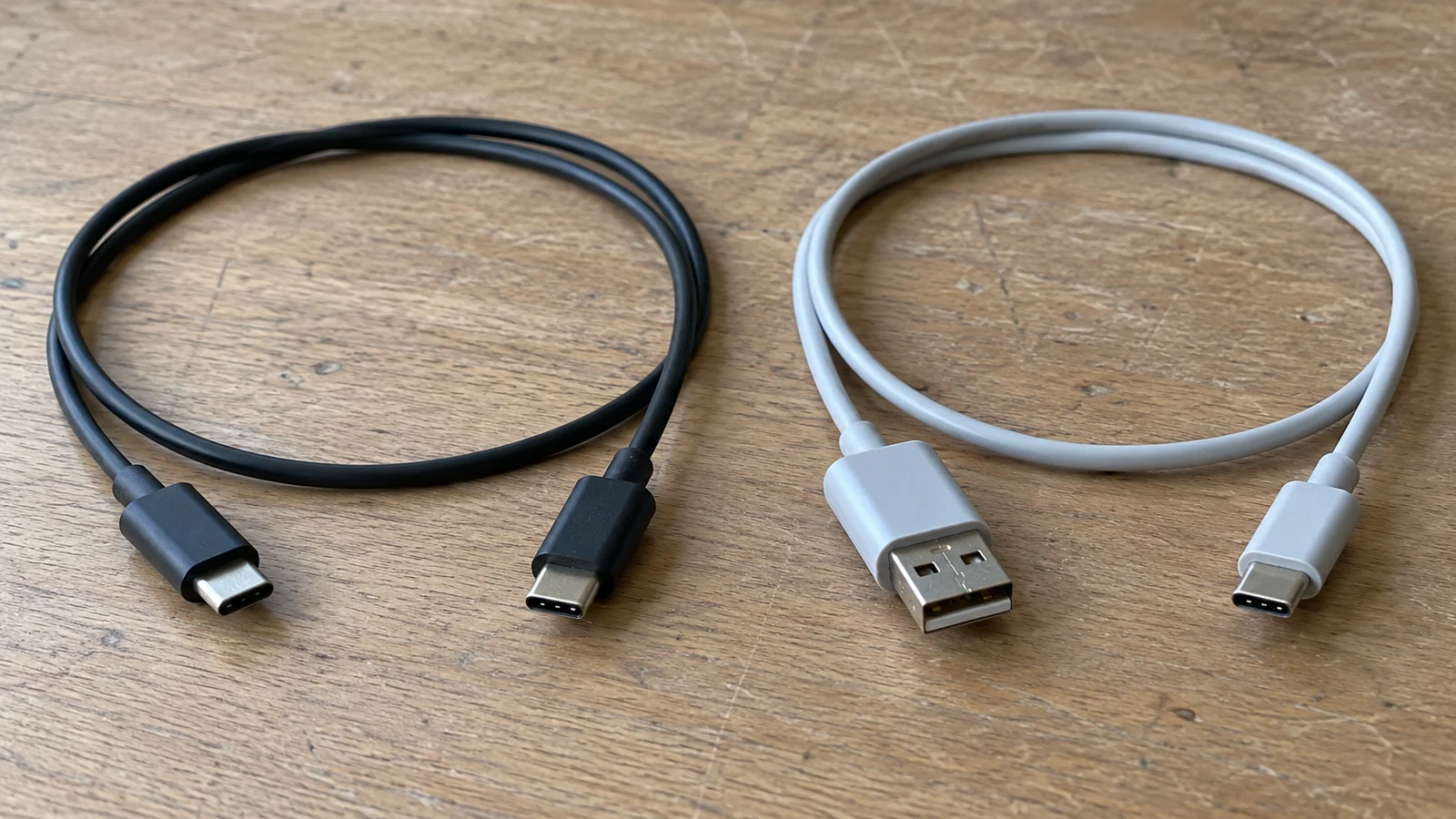
A cable that fits the phone can still cause returns when its charging or data capability differs from the shelf description. For wholesale orders, treat Android charging cable types as three separate choices: the connector pair, the supported power arrangement and the declared data capability.
This guide helps you turn those choices into distinct order lines and a sample compatibility record. Start with the standard categories on the phone accessories wholesale page; the combinations below are requirement categories, with availability confirmed for the specific inquiry.
Key Takeaways
- Name the phone-side and source-side connector separately.
- Record power and data declarations as independent SKU attributes.
- Use the named phone, source and cable in a sample compatibility record.
Takeaway: Use the named phone, source and cable in a sample compatibility record.
Quick specs: define the cable before choosing quantities
Write both ends and both capability claims before assigning a cable to a shelf slot. A short product name such as “Type-C fast cable” leaves too much open for replenishment.
| Input or item | Typical value or source | Why it matters |
|---|---|---|
| Phone-side connector | Target phone port and device documentation | Determines the physical connection |
| Source-side connector | Charger, computer or power-bank port | Defines the other end of the order line |
| Power capability | Exact cable specification and markings | Separates the cable’s claim from the charging source’s claim |
| Data capability | Exact cable specification and intended task | Distinguishes a charge requirement from a transfer requirement |
| Length and construction | Buyer requirement and candidate sample | Keeps a repeat order from changing the physical product |
| Packaging and quantity | Retail pack description and quantity per SKU | Makes stock allocation and picking checkable |
Keep those fields separate in the store-ready bundle plan if the cable will accompany a phone or charger. An accessory description should survive removal from the bundle: staff should still know which phone-side port, source-side port and use case it serves.
Takeaway: Give each candidate a complete connector-and-capability description before deciding how many to order.
Read both ends before naming the SKU
Identify the phone connector and the source connector independently. “Android” names a device platform, while the cable connects two physical ports.
| Connector pair to check | Equipment question | Order-line distinction |
|---|---|---|
| USB-C to USB-C | Does the intended source have a USB-C port? | Keep both power and data declarations attached to this exact cable |
| USB-A to USB-C | Is the customer’s source a rectangular USB-A port? | Keep this line separate from the USB-C-source version |
| USB-A to Micro-USB | Does the specified older device actually have a Micro-USB port? | Use the phone or device documentation to identify the need |
| Other or uncertain pair | Are photos and the exact equipment identity available? | Resolve the physical ports before requesting a substitute |
These categories are a way to describe demand, not a list of confirmed stock. For an unidentified phone, ask for the model reference and a clear port photograph rather than guessing from its age, price or operating system. A customer who needs a USB-A source connection will not be served by an otherwise similar cable whose two ends are USB-C.
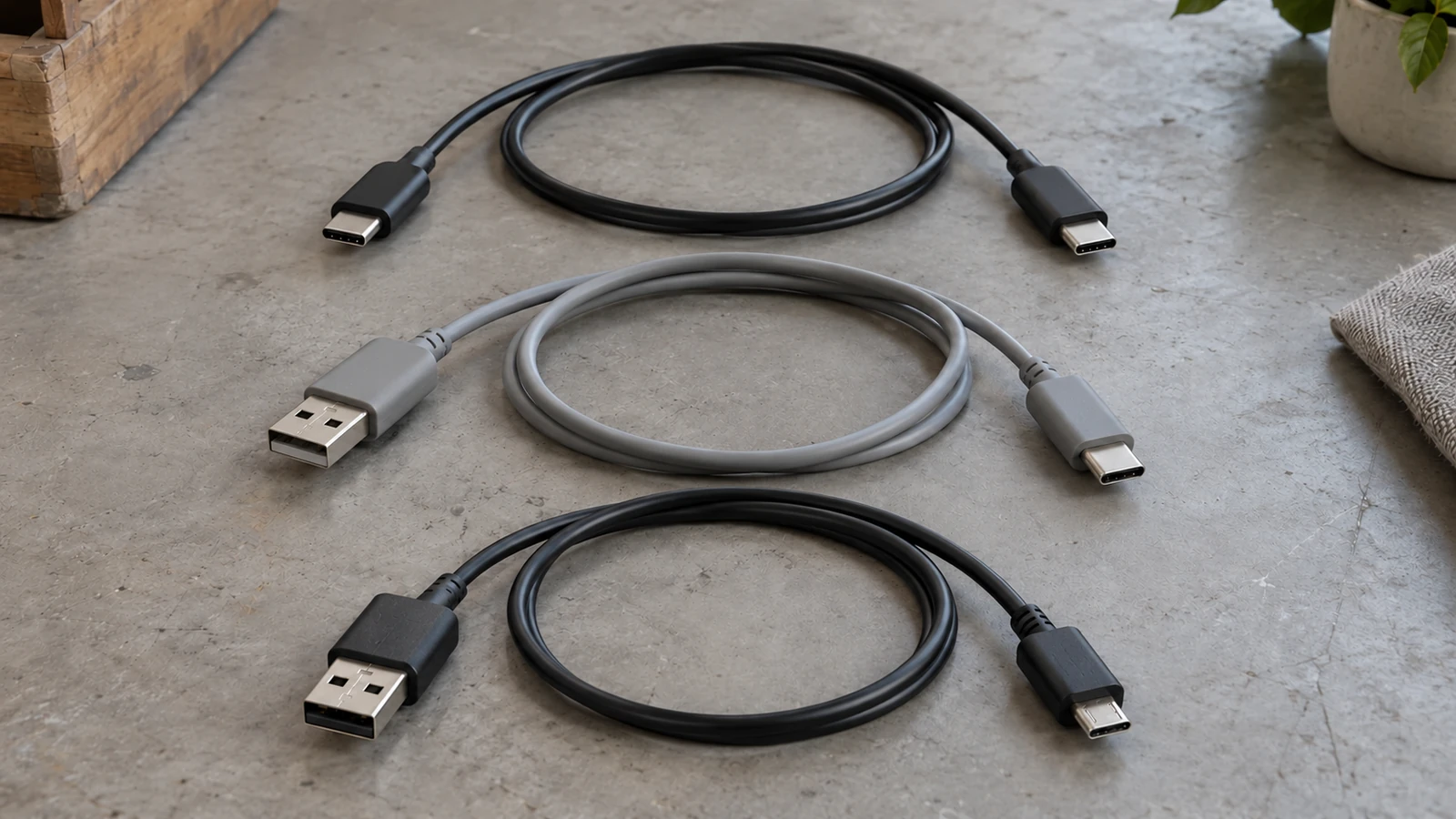
If your line will be bought alongside a charger, identify the source port on the phone chargers wholesale route. If the source is portable backup power, do the same on the power banks wholesale route. A connector photograph can help identify a shape; it cannot establish a power rating or data speed.
Common mistake: Treating “USB-C cable” as a complete SKU name when the source-side connector is still unspecified.
Takeaway: Keep different connector pairs on different lines, even when the phone-side plug looks identical.
Keep power and data claims in separate columns
A power claim and a data claim answer different questions. Record each one from the candidate cable’s own specification, then compare it with the intended equipment.
USB-IF’s cable and connector guidance explicitly describes cables with different capabilities. Its USB-C-to-USB-C compliance section treats power marking and data marking separately. That supports separate purchase fields; a connector shape or power icon alone does not fill in a transfer-speed field.
| Attribute | Evidence to request | What it does not establish |
|---|---|---|
| Declared cable power capability | Cable specification and relevant marking photo | The charging result with every phone and source |
| Declared charging protocol support | Exact equipment and cable documentation | Compatibility from the phrase “fast charging” alone |
| Declared data capability | Cable specification for the intended transfer task | Data capability inferred from a power claim |
| Certification claim, if made | Exact cable identity and supporting certification reference | Certification of the phone, charger or the whole order |
USB-IF also explains that using a certified cable does not increase the capabilities of connected products. For a stated certification requirement, use the USB-IF product lookup with the precise product identity. Keep evidence attached to the named item rather than treating a printed logo as certification of all accessories from a seller.
For procurement, a practical record is “power declaration received; data declaration missing.” That is more useful than filling an empty cell with “high speed.” If the customer needs files transferred to a computer, document that task expressly. If the purchase is for charging only, describe that requirement without making an unsupported statement about what the cable cannot do.
A SKU worksheet keeps those attributes on the same line. Use the supplier reference as the link between this technical record and the retail-pack record; the empty fields below require the candidate’s own information.
| Candidate reference | Phone end / source end | Power declaration / source | Data declaration / source | Buyer use |
|---|---|---|---|---|
| Enter supplier reference | Enter both connectors | Not supplied | Not supplied | Enter charging or transfer task |
| Same candidate reference | Length / construction | Pack description / language | Quantity | Substitution decision |
|---|---|---|---|---|
| Repeat the reference above | Not supplied | Not supplied | Buyer to enter | Locked or buyer approval required |
If two candidates share a connector pair but have different power or data declarations, retain separate references rather than combine them into one replenishment line.
Takeaway: Compare declared power and data capability independently, and leave an undocumented capability unresolved.
Build the shelf mix from customer equipment
Allocate cable lines to the equipment your customers use, rather than ranking all USB-C cables together. The right assortment depends on the source connection and the job the customer expects it to perform.
| Shelf purpose | Inputs to collect | SKU decision to make |
|---|---|---|
| Replacement charging lead | Phone port and existing source port | Select the connector pair first |
| Cable supplied with a charger | Named charger, phone and power requirement | Request the combination together for compatibility review |
| Charging plus file transfer | Computer port, phone and transfer task | Keep the data requirement visible on the line |
| Longer reach at a counter or desk | Equipment, required length and intended task | Evaluate the exact longer cable, rather than inheriting another line’s result |
| Repeat retail bundle | Approved component description and pack revision | Lock the cable identity within the bundle record |
These are buying scenarios, not claims that a particular configuration is stocked or has been tested. Use your own sales and return records to decide which lines deserve more shelf space. The guide does not prescribe a ratio between connector types or a universal “best” cable.
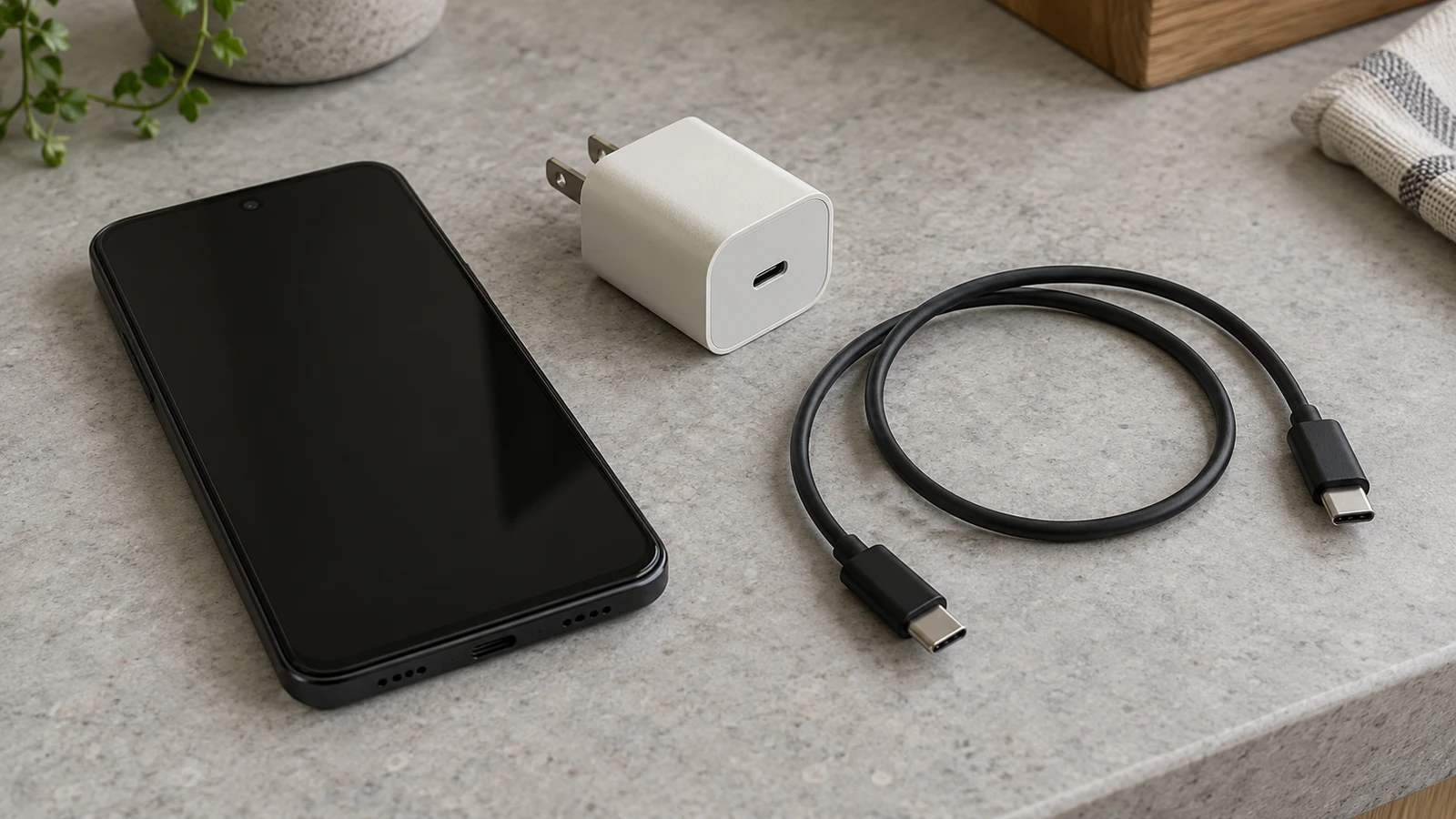
When several cable types share an order, use the mixed-SKU wholesale planning guide to keep quantities and descriptions tied to their own lines. Before comparing prices, use the wholesale quote comparison guide to check that the alternatives name the same requirements.
Takeaway: Build the quantity plan around identifiable customer equipment and uses, with no assumed assortment percentage.
Make a sample compatibility record
Agree what the sample review needs to establish, then identify the equipment and cable in the record. The following is a buyer planning format, not a report of NexusSupply testing.
| Record field | What to enter | Decision it supports |
|---|---|---|
| Candidate cable identity | Supplier reference, connector pair, specified length and specification revision | Identifies the exact line being considered |
| Physical sample identity | Sample identifier and available batch or source reference | Links the review to the particular cable |
| Review ownership | Date, recorder and buyer approver | Makes the record traceable for a later order |
| Intended phone | Model reference and relevant device documentation | Limits the compatibility question to known equipment |
| Intended source | Charger, computer or power-bank reference and port | Prevents a result from being assigned to a different source |
| Charging question | Buyer requirement, agreed observation method and pre-agreed acceptance condition | Defines what a charging result would mean |
| Data question | Required task, agreed observation method and pre-agreed acceptance condition | Keeps transfer review separate from a charging indication |
| Outcome and exception | Recorded observation, evidence reference, buyer decision and accepted / open / rejected status | Closes the question for the stated combination |
For a charging review, agree how the intended mode will be identified. A phone displaying a charging icon does not establish an agreed fast-charging result. For a data review, agree the actual task and how it will be recorded; a physical connection alone is not a transfer result. Any observation belongs to the tested cable and named combination, rather than all devices carrying the same port shape.
Keep sample selection and later batch acceptance separate. The existing charger and power-bank QC checklist handles acceptance against an agreed order line. This cable record establishes what that line needs to say before quantities are fixed.
If a supplier reference or supporting declaration is inconsistent, use the supplier verification guide to keep document identity and transaction identity aligned. Record an unresolved item as a question for the inquiry rather than a passed check.
Submit the connector pairs, intended equipment and unresolved capability fields in the inquiry message before agreeing the order description.
Takeaway: Attach observations to the exact sample and equipment, then carry the accepted description into the order.
Keep packaging and substitutions tied to the same identity
Make the retail-pack description match the line buyers approved. A correct connector pair can still be picked incorrectly if two capabilities are sold under one vague pack name.
Record which cable the pack contains, pack language, quantity, agreed product description and any buyer-owned barcode or artwork reference. The product declaration remains separate from the packaging specification: a new sleeve does not establish an electrical capability.
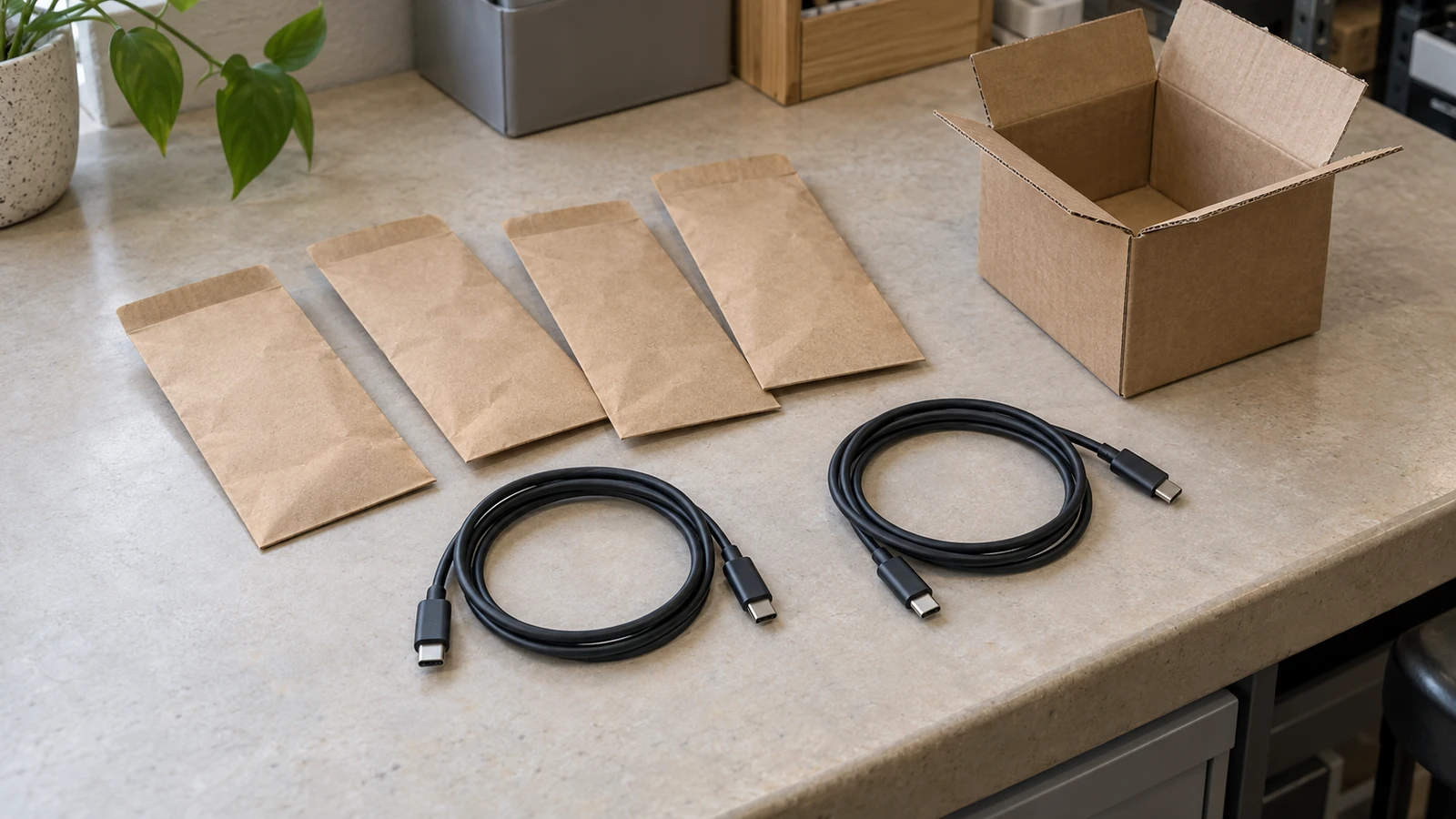
For substitutions, record the proposed connector pair, length, power declaration, data declaration and packaging difference. Ask the buyer to approve the changed fields before replacing the line. A replacement that looks similar may answer a different source-port or transfer requirement. Keep the approved change with the order revision so a later reorder does not revert silently.
Common mistake: Approving “equivalent Type-C” without listing the fields the replacement needs to preserve.
Takeaway: Approve substitutions by attribute and revision, not by a similar-looking pack.
When this does not apply
This guide covers the description and selection of ordinary cable order lines. It does not establish a charging guarantee, a certification result, safety approval or a stock list. Adapters, unusual multi-ended assemblies, display connections and nonstandard device accessories need their own product documentation and review.
Repairing a damaged phone port, diagnosing electrical faults and developing custom device software are different tasks. Where the device identity or the necessary declaration is missing, stop the selection decision at that missing input rather than inventing a universal cable recommendation.
Takeaway: Request product-specific documentation when the connection or task falls outside a standard cable pair.
Method and sources
The technical distinction between power, data and product capability follows USB-IF’s cable and connector guidance, checked on October 9, 2026. Certification questions can be checked through its certified product search. These sources describe USB requirements; they do not certify a NexusSupply SKU or batch.
The assortment and record tables are procurement suggestions. The photographs show example objects and arrangements, and do not supply electrical measurements or sample results.
Takeaway: Check the precise cable identity when a capability or certification requirement affects the purchase.
Do all Android phones use USB-C?
Not necessarily. Older or specialized devices can still use Micro-USB, so do not assign a cable from the operating-system name alone. Identify the exact phone’s port from its documentation or a clear sample photograph, then identify the source-side port separately.
Takeaway: Collect the phone model and port before creating the replacement line.
Is USB-C a fast charger?
No. USB-C identifies a connection type; the intended charging result still needs the phone, source and cable capability information. Keep a fast-charging requirement separate from the connector description.
Takeaway: Ask which combination and charging requirement the claim describes.
How do I know if my USB is A or C?
USB-A is the flat rectangular port; USB-C is the smaller rounded port that fits either way up. Confirm it from the equipment’s port description and a clear end-on photograph. If the photograph is unclear, request the device reference rather than trying an unidentified connector.
Takeaway: Save the port identification with the equipment reference.
Does it matter which USB-C charger I use?
Yes, the source is part of the compatibility question. A cable declaration alone cannot establish the result with a different charger. Record the source model and port beside the intended phone and cable.
Takeaway: Review a charger change as a change to the combination.
Why won’t my USB-C charge my phone?
The cause can sit in the cable, the charger or the phone, so check the whole combination. For an order sample, first reconcile the recorded phone, source and cable with the equipment actually used. An unsuccessful connection is a reason to investigate that combination, rather than reject or approve an entire cable category. Device repair requires its own support process.
Takeaway: Record the failed combination and observation before requesting a substitute.
Is there a difference in quality of USB-C cables?
Yes. Compare specific declarations, construction requirements and evidence instead of using one quality label. Different power or data capability is also a difference in specification; price, appearance and a USB-C plug do not establish those fields.
Takeaway: Define the required attributes before comparing candidate lines.
RFQ Fields
- Phone-side and source-side connector for every proposed cable line
- Intended phone and charger, computer or power-bank references
- Required charging mode and cable power declaration or marking photo
- Required data task and the cable’s data declaration
- Length, construction preference and quantity per SKU
- Packaging language, pack contents and any artwork reference
- Sample compatibility questions, evidence requested and substitution rules
Send the populated fields and unresolved questions in the wholesale cable inquiry. Describe what the retail line needs to do before choosing its final quantity.
Takeaway: A usable inquiry separates physical fit, charging and transfer needs on every line.